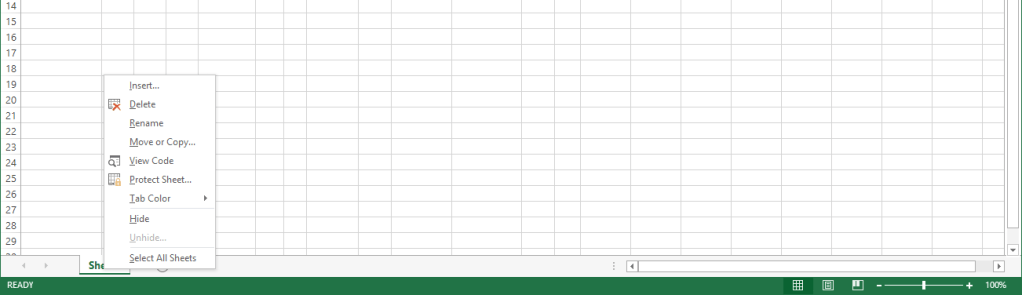
Right Click Sheet1 and click on View Code
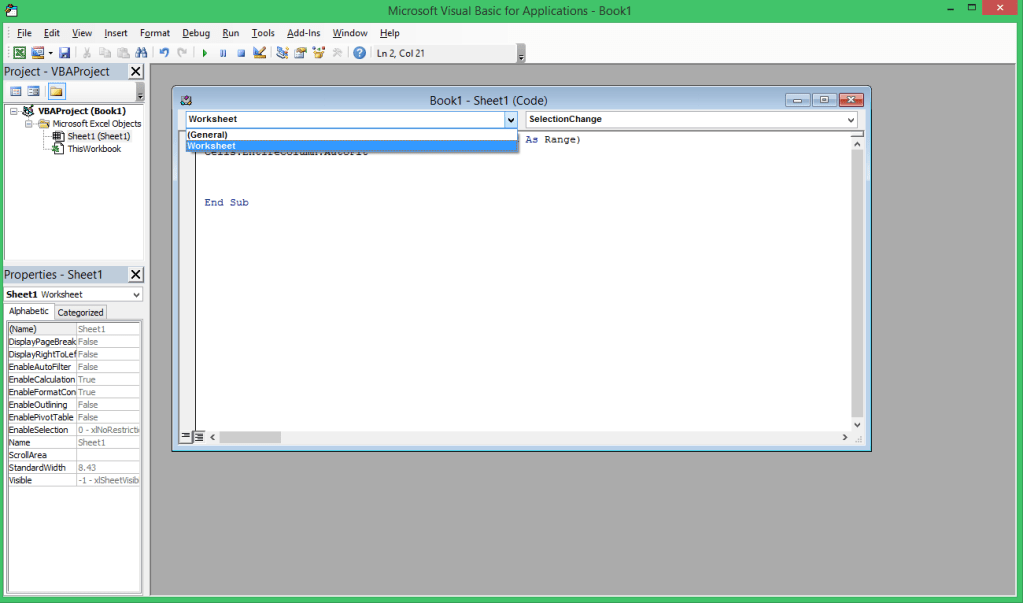
Select Worksheet from drop-down
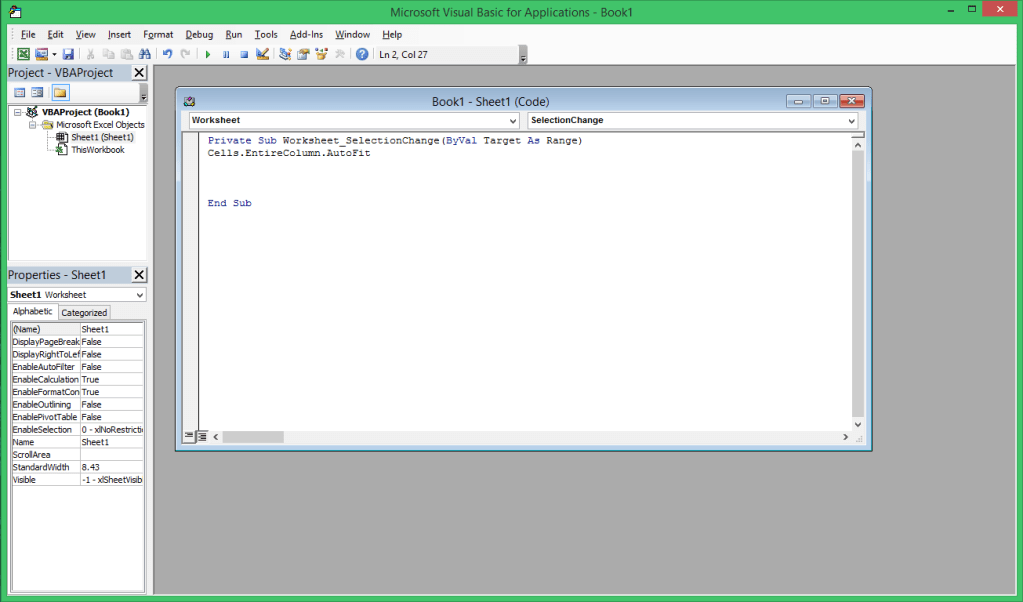
Type Cells.EntireColumn.AutoFit and close VBA
Enjoy! You are good to go 🙂
Say Bye to Bugs
Right Click Sheet1 and click on View Code
Select Worksheet from drop-down
Type Cells.EntireColumn.AutoFit and close VBA
Enjoy! You are good to go 🙂


Leave a Reply